Only Basic CSS Article which is Enough for you as beginner
This article purely focus on basic and fundamentals of CSS

Hi, want to learn CSS, well i garanted you it will be your last article, after that you don’t need to read any blog or whatch any other blog, are you ready for this 🤩, so in Tecnical guruji language “chaliye shuru karte hai”
the first question you should ask ? why hell i need CSS,
well website before CSS VS website after CSS
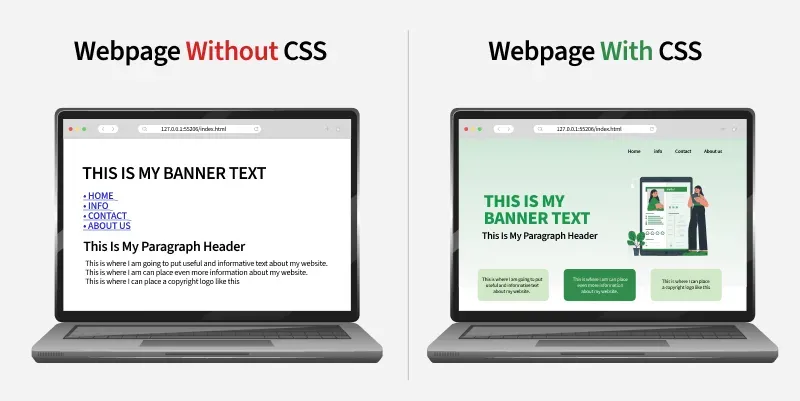
bro we love to see beauty in our cloth or in your gardan, it look good to see beauty then why not our website ?
ok now what is this CSS stand for : Cascading Style Sheets
Cascading mean ? , undertand this way if you put jacket on your shirt then it simply means your jacket Cascad your t-shirt, it does not removed it just hind it under jacket, “i will called this “Overshadow”,
Style Sheet mean ? , this word came long before computer, in printing and publishing industry - old time editor used a style sheet ( also called style guide ) to decide :
font size,
font color,
headline style,
spacing
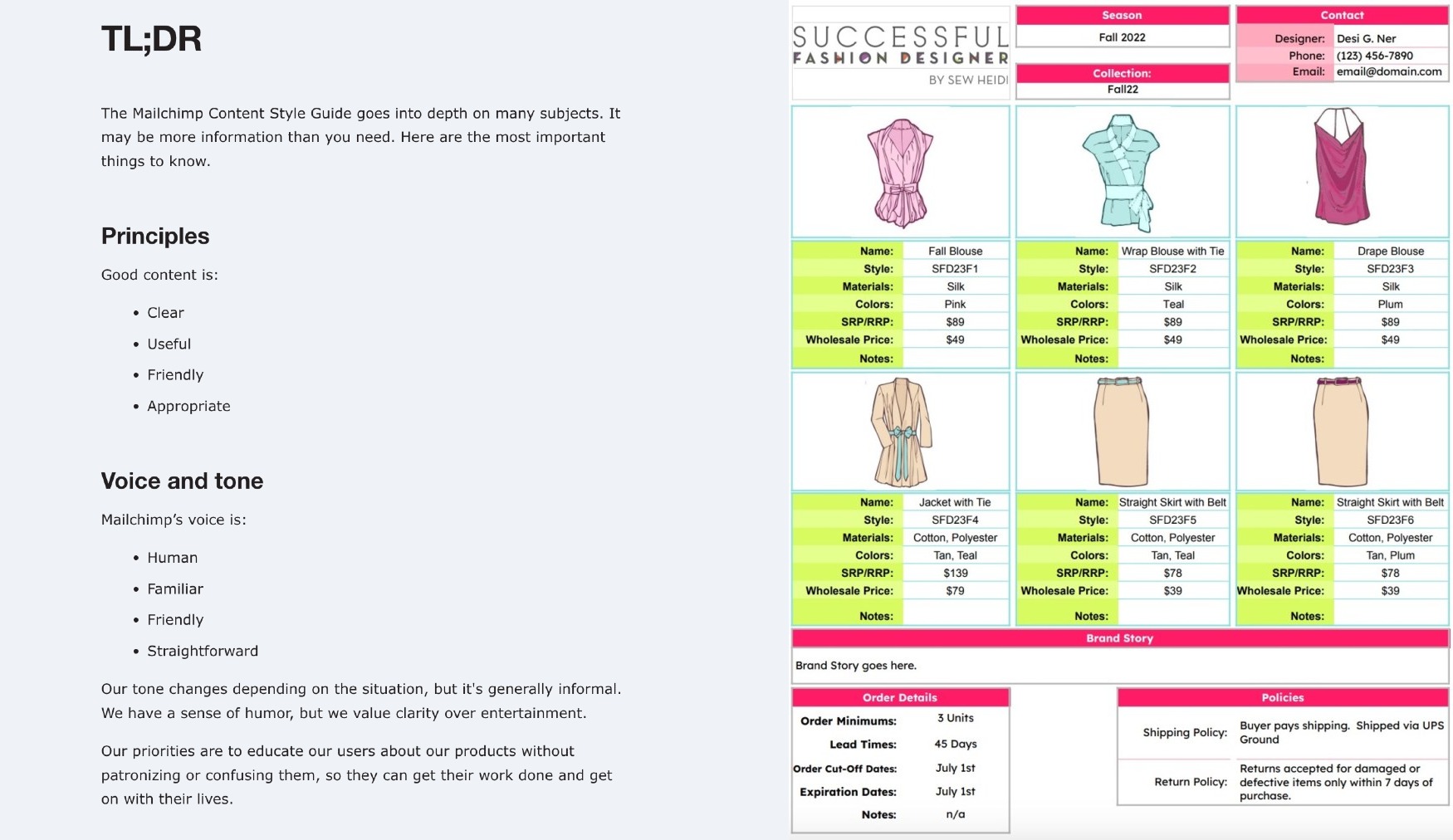
ok so in modern turm, we used stylesheet like sets of rules to we can decide color of our webste text, size of text, spacing between paragraph etc.
simply open any random website motherfuckingwebsite, or which ever you want in your website
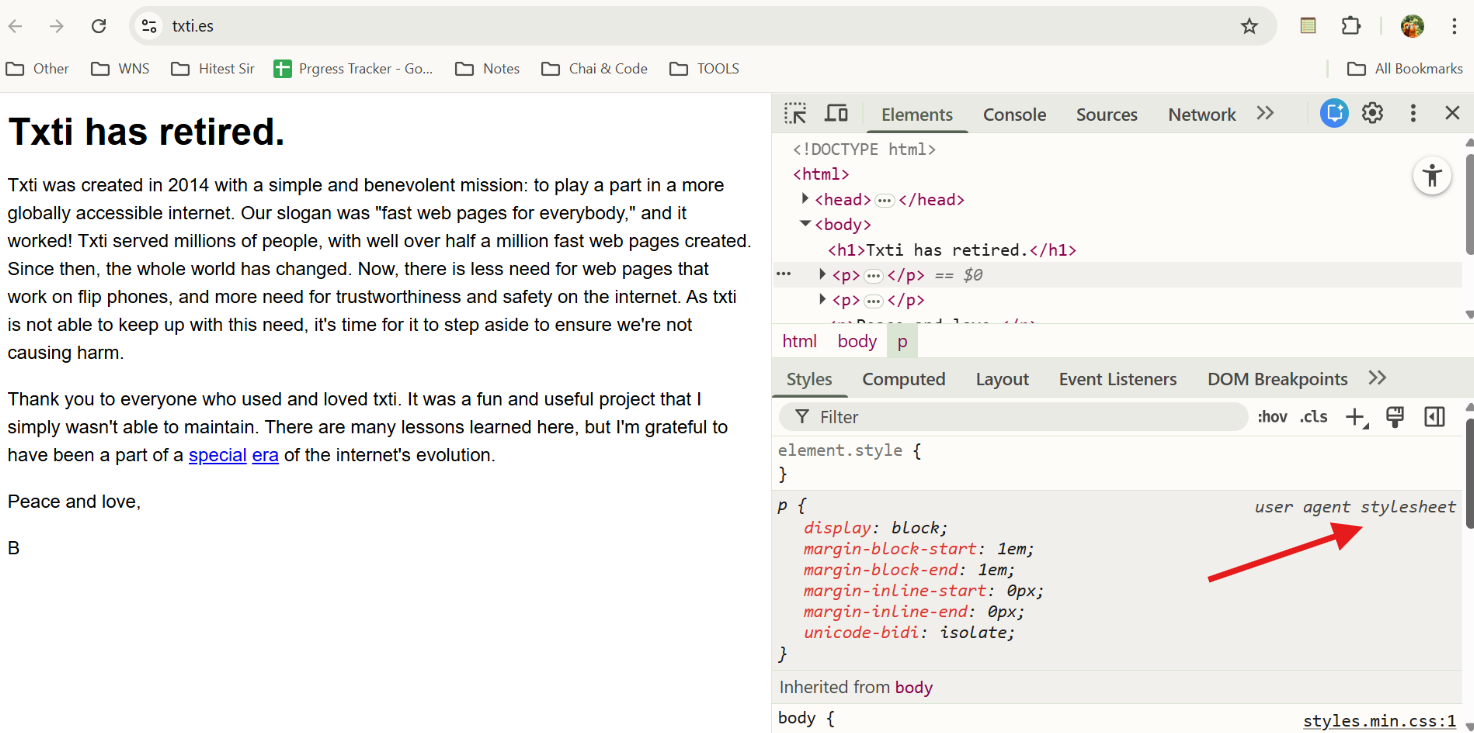
website right click → inspect → elements → style → there you can see user-agent ( simply means browser ) stylesheet,
browser also have dafualt rules how text or button or any other elements will looks different in browser,
if you notice text or any other element will look different in different browser in default setting anless you change it,
why every browser have it own default setting, and you can change it if you want,
OK this history is enogh

BOX MODEL :
the first things you should in CSS is BOX MODEL :
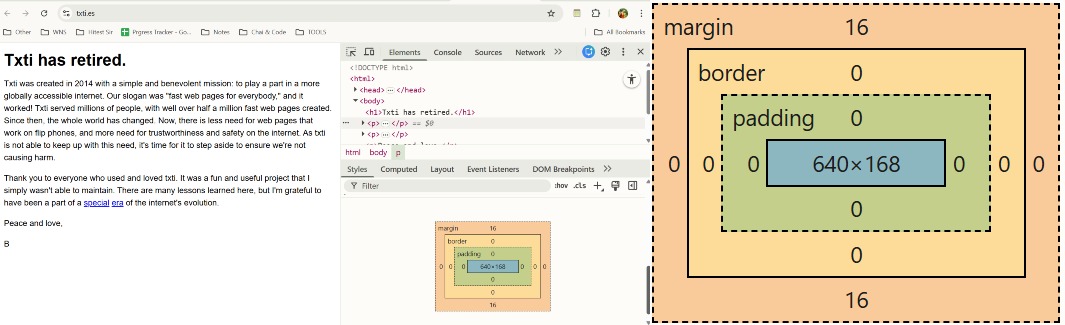
CONTENT : ACTUAL CONTENT LIKE TEXT OR IMAGE ETC
PADDING : SPACE INSIDE BORDER
BORDER : CONTENT + BORDER TOTAL SIZE THEN ON WHAT SIZE ADDING BORDER
MARGIN : SPACE OUTSIDE BORDER, HOW TO KEEP SPACE WITH DIFFERENT ELEMENT
you should also know Width and Height Elements
HOW TO WRITE CSS THERE ARE 3 WAYS,
INLINE CSS,
INTERNAL CSS,
EXTERNAL CSS,
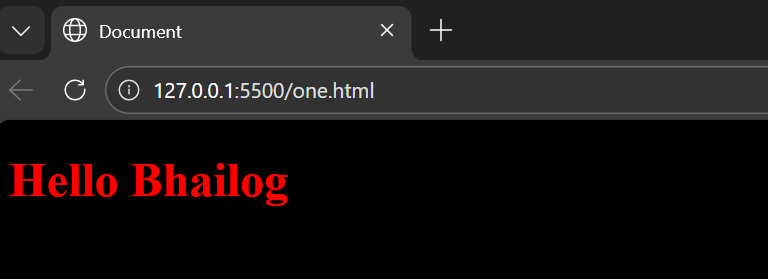
INLINE CSS :
as we can write CSS within the line where - we want to add css
<h1 style="color: red;">Hello Bhailog</h1>
INTERNAL CSS :
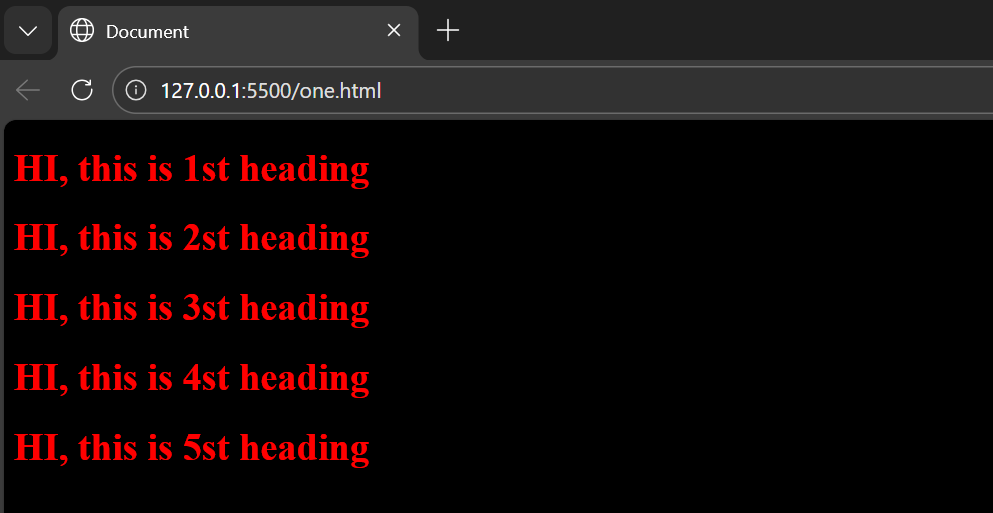
bro but now you want to change color of 10 H1 tag, you cant’t this css 10 time, so what we can do
so if we write CSS in head section we can select multiple tag :)
<head>
    <title>Document</title>
    <style>                            /* you write Internal CSS in <Head> section
        h1{
            color: red;
        }
    </style>

</head>
<body>
    <h1>HI, this is 1st heading</h1>
    <h1>HI, this is 2st heading</h1>
    <h1>HI, this is 3st heading</h1>
    <h1>HI, this is 4st heading</h1>
    <h1>HI, this is 5st heading</h1>
</body>
</html>
EXTERNAL CSS :
bro but now your pro programmer and you have to write so much code,
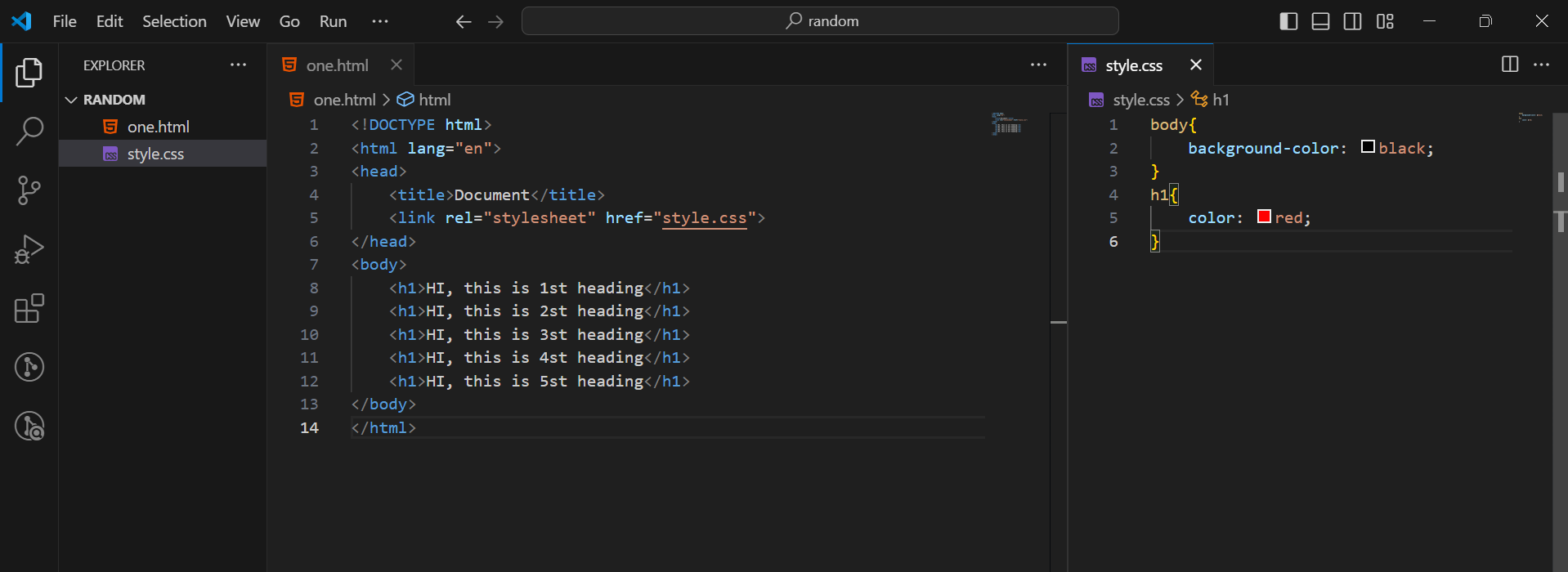
and in that your css and html are in one page so it will look messy no, what do you thinks so best practice is to write in css in different page and like this css page with our html page
<head>
    <link rel="stylesheet" href="style.css">
</head>
BASIC TERMONOLOGY IN CSS :
Selector, Property, Value :
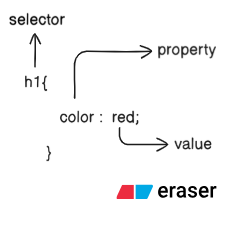
H1 or any other elemts like P, button, img any element, while selecting element in css we called selector,
color : is property here, we can also used background color or any other property,
value, as our property is color so we can different kind of value - color
Tag, Class, Id :
TAG - in HTML it simply - H1, P, button and many more
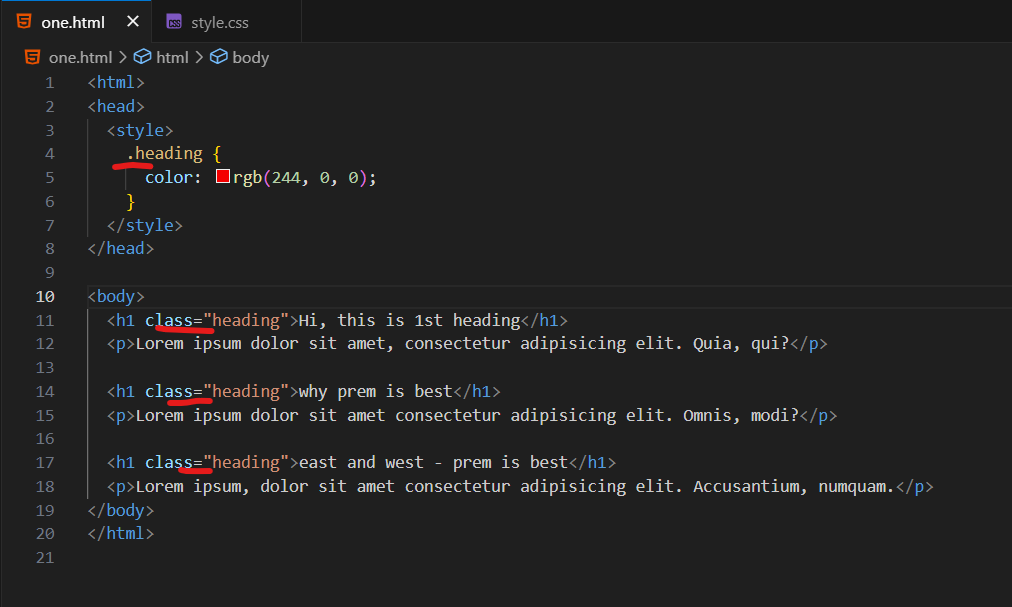
Class : to select class we used . symbol
class is selector which we used for selecting multile elements
like in real life, in collage we have class, so we can name class, which have 15 students
if i want to select multile element and want to apply same css then we used it
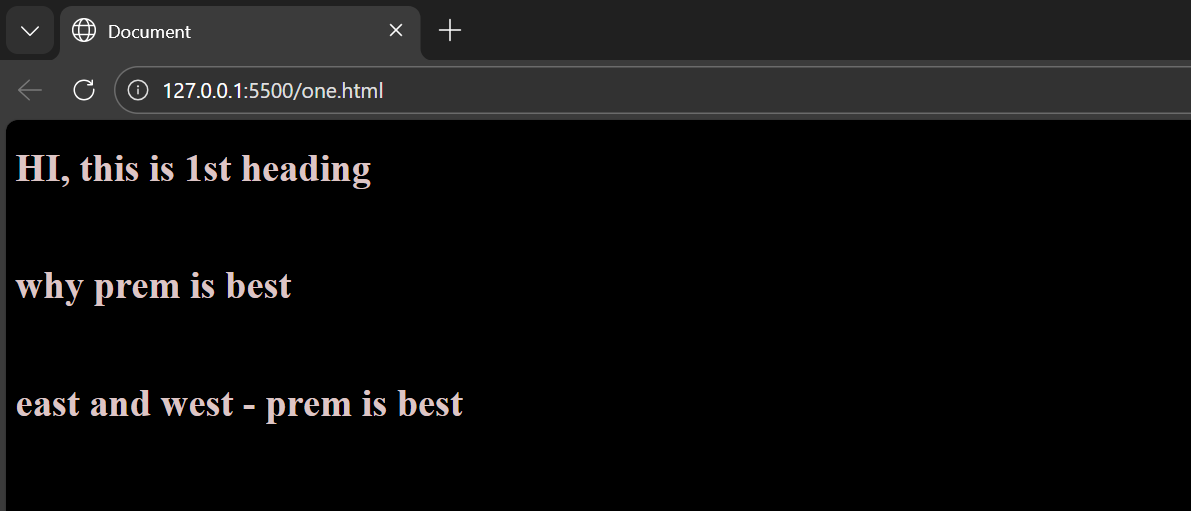
OUTPUT
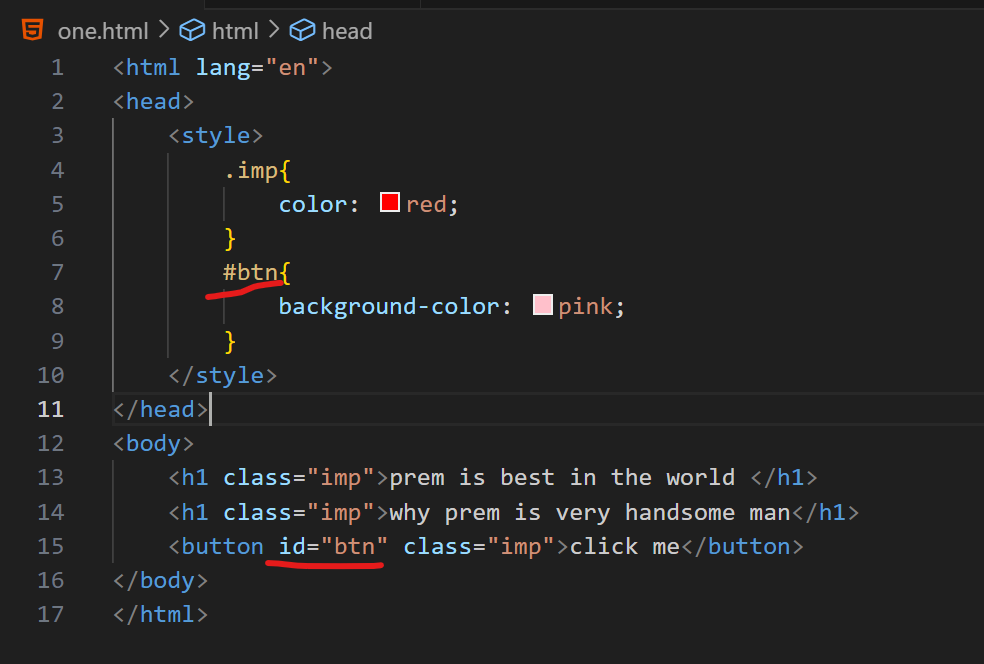
ID : to select ID we used - # symbol
mean simply unique id, like every person have unique aadhar card no, right bro
so we can used ID only for single element
Specificity in CSS :
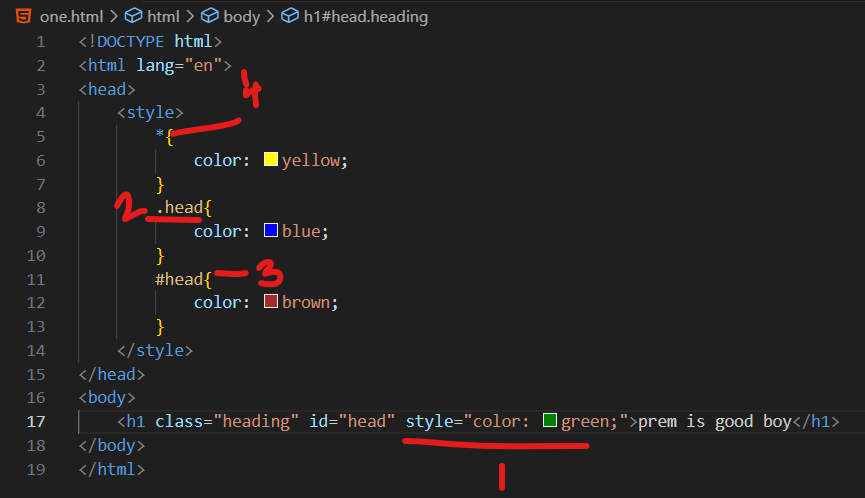
bro pleased thinks, if we select same element to change color using id, class , or inline css
HOW HERE COME QUESTION FOR 10 LAKH

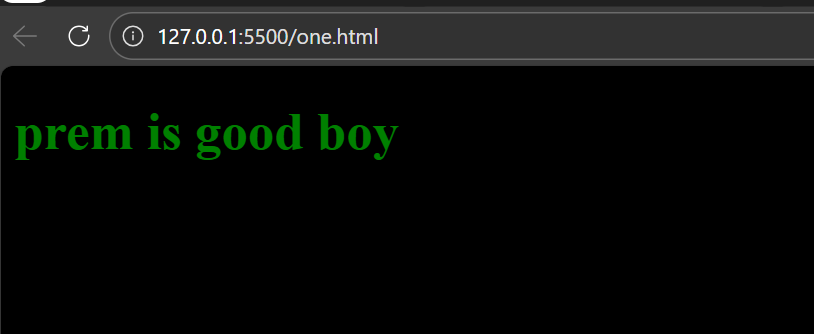
what will be the color of - prem is good boy
1) GREEN ( USING INLINE CSS )
2) BLUE ( USING ID . SELECTOR
3) BROW ( USING CLASS # SELCTOR )
4) YELLOW ( USING * UNIVERAL SELECTOR )
ohhh it can be confusing but tell me if you have secret first whom you will tell, your closed friend right
here closedest is INLINE CSS right, then ID then CLASS then universal selector *
“ SUMMARY TIME “

WHAT WE LEARN BRO DO YOU REMEMBER :
FULL FORM AND MEANING OF CSS - already explain in depth
BOX MODEL : every element have his paading and border and margin, will explain depth in another blog pleased,
Selector, Property, Value : i already explain bro
TAG, ID, CLASS : tag mean h1 or p etc, id means unique element ( like mere class me mere crush - sabse alag), class ( meere class ke sare ladkiya)
Specificity in CSS : ( zada karibi dost ko jyada priority, karibi dost ko thoda kam, bas dost ko thoda aur kam and last me pure class ko